UX/UI design principles

January 23, 2026
How to create an empathy map
A guide to user attitudes and behaviors
Eugene,
UX/UI Designer

As mentioned in the previous article, an empathy map is a visual representation of an individual user's attitudes and behaviors. Based on firsthand data and interviews, it captures and represents a single user’s emotions and thoughts. By identifying users’ pain points, worries, anxieties, irritations, joy, and more, it enables you to build groundbreaking products.
Traditionally, empathy maps are used to explore the attitudes and behaviors of a single user, but it’s possible to create maps for multiple individuals or a group of users. Single-user maps are typically based on conversations with a user, while multiple-user maps summarize themes and patterns seen across various empathy maps.
The primary goal of an empathy map is to help teams identify and understand their users' needs, but you can also use empathy maps to:
1) Illustrate user attitudes. Visual representations of a user’s emotions can help you connect behaviors with attitudes.
2) Collect firsthand data. You can collect and update qualitative data through user interviews and surveys.
How to create an empathy map
Here are five steps to creating an empathy map with your team.
Step 1: Identify users and goals
Who will your empathy map represent? Whether you’re creating a single- or multiple-user map, you need to identify the main subject. Your map should also be a stepping stone toward completing an actionable goal.
Step 2: Collect experiential data
Empathy mapping requires up-to-date qualitative data. Before mapping, determine who you want to interview, what data collection methods you need, and how you’ll organize your data. Surveys, interviews, field or diary studies, and listening sessions are the most common ways you can collect user experience data for empathy maps.
Step 3: Examine user experiences, thoughts, and feelings
Consider what your users experience on a day-to-day basis and how they respond. Their common phrasing and habits can help you understand where problems arise, plus ways to mitigate issues before they lead to lasting effects.
During this phase, consider:
Changes to your industry that may affect user experiences and behavior
Comments on social media or other platforms
A user’s biggest roadblocks and pain points
In addition, consider the internal factors that could affect your users’ decisions. Since it’s impossible to observe these factors, they need to be inferred or received directly from a user via a survey, interview, or other form of data capture. This step should examine two major categories:
Think: Understand your users’ thought processes while they interact with your brand. It’s especially important to consider what users may be thinking but are unwilling to tell you. For example:
“I’m irritated while using this tool.”
“I don’t understand what I’m doing or where I need to go.”
“This system is disorganized and difficult to use.”
Feel: In interviews, ask your users to describe what they’re feeling at the moment. Consider their pain points, what makes them frustrated, and what brings them joy. When creating your empathy map, identify these ideas as emotions with experiential context. For example:
The user feels irritated because our program loads slowly.
The user feels confused when trying to navigate our website structure.
Our system’s asset management tools allow users to feel relaxed.
Step 4: Categorize your findings and identify patterns
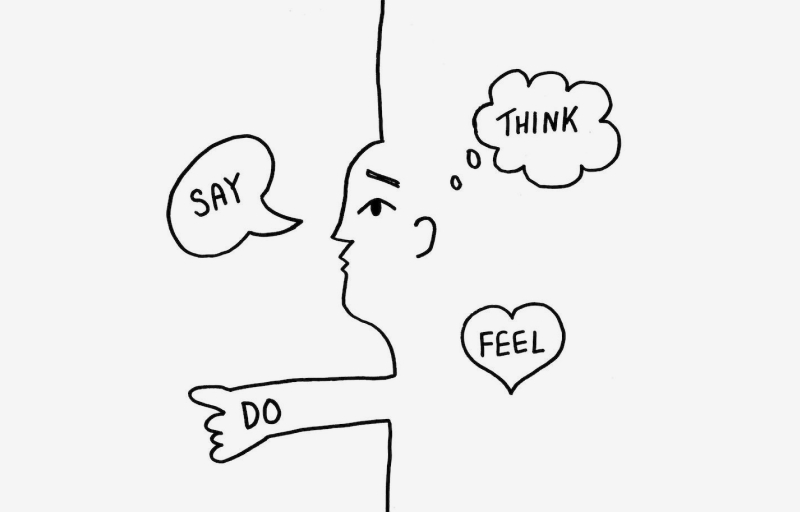
Using a template or starting from scratch, separate your map into quadrants to categorize what your user sees, hears, thinks and feels, and says and does.
From your collected data, ask your team to identify attitudes and behaviors. These can be written on sticky notes or added directly to your map’s template, but team members should place these observations within one of the map’s major sections. If possible, ask every team member to include at least one observation during this step.
Once you can visualize your empathy map, explore your findings by highlighting patterns. Your data may indicate common user thoughts, feelings, or actions. Identifying these patterns can help you understand your users, visualize their experiences, and adapt to their recurring needs.
Step 5: Reflect and discuss
Once your empathy map is complete, it’s time to discuss your findings. Teams can summarize their user patterns and brainstorm possible solutions to pain points during this stage.
At this point, team members may also want to present their findings to other departments and ask for additional input from outside perspectives.
Empathy maps are flexible, so consider discussing your findings regularly and updating your maps with new insights.